
For GLPI 11.0 · free and open source
Modular ITSM plugins built for GLPI 11.
GLPI covers core ticketing and inventory well. This suite extends it with change management, on-call alerting, vulnerability tracking, public status pages, and more. Install only the capabilities your team needs.
- plugins
- 28
- works with
- GLPI 11.0
- GPL-3.0 or later
- Free
- changes to core
- None
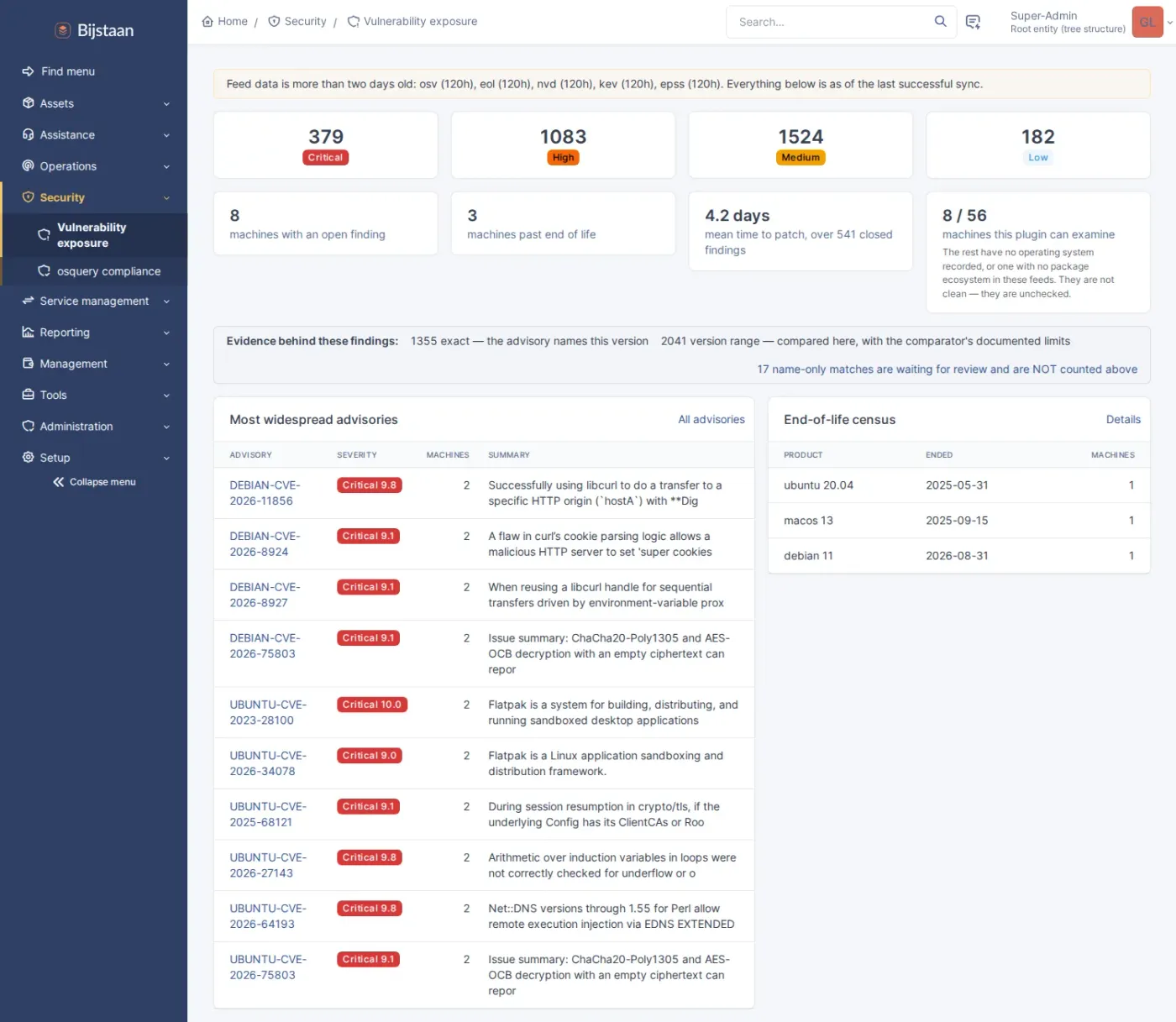
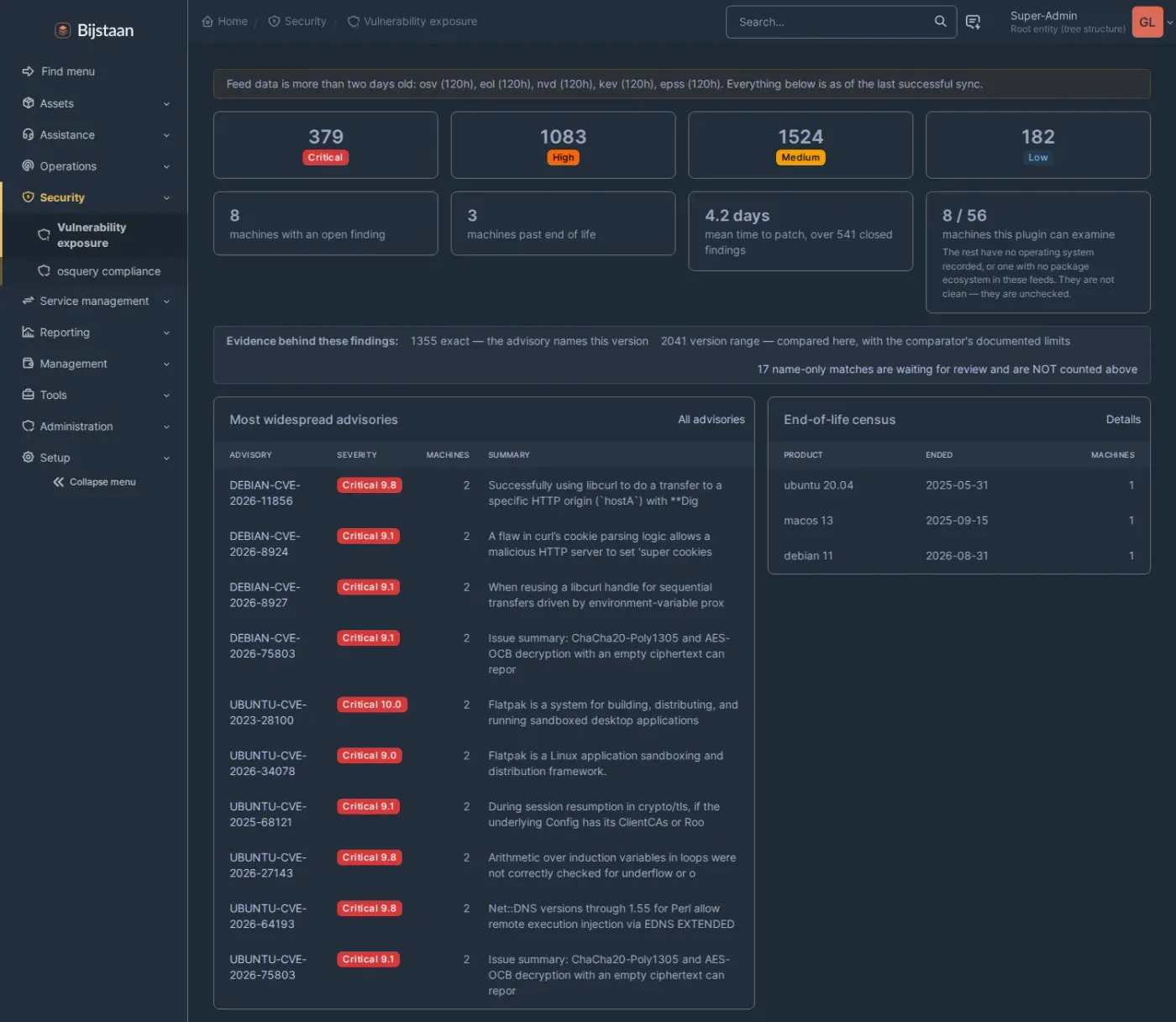
Vuln — Exposure dashboard: severity tiles, affected machines, mean time to patch, coverage fraction and confidence mix
How it fits
Additions to GLPI, not a replacement for it.
Every one is a plugin you install and can uninstall again. Nothing patches GLPI, nothing swaps a core object for its own copy, and nothing asks you to run a fork.
It builds on what you already have
The plugins extend GLPI’s own tickets, changes, problems and projects rather than making their own copies. Saved searches, notifications, templates and reports keep working, and removing a plugin does not take your data with it.
Nothing new to keep patched
No extra PHP libraries to install or maintain — they use what GLPI already ships. Where one genuinely needs something outside GLPI, like a search server or an AI provider, it says so on its own page rather than in the small print.
Each one works on its own
Install only what you need. When multiple plugins are installed together, they integrate cleanly (such as known errors using typo-tolerant search or PDF exports including procedure checklists), but every plugin is fully functional by itself.
Why these exist
Six things GLPI 11 genuinely does not do.
Each one turned up while building against it. The plugin that answers it is on the right.
GLPI projects have tasks, but nothing that says one task waits on another.
No schedule, no critical path, and no way to see what slips when something runs late.
ProjectNotification templates are stored escaped, and nothing decodes them before the mail goes out.
A stock GLPI 11.0.8 sends people raw HTML tags where a layout was meant.
MailThe calendar feed signs in with the user’s own API token.
Paste that URL into Google Calendar and you have handed Google the whole API. Revoke it and every other integration breaks.
Calendar syncA plugin may hang its menu item under one of seven fixed sidebar sections, and may not create one.
Install a few and they scatter through Tools, Setup and Administration.
NavThe word “cloud” appears twice in GLPI 11’s source. Both are icon names.
No account, no resource, no cost — the half of the estate that lives in Azure or AWS is invisible.
CloudGLPI locks an item to one person and puts everybody else into read-only.
No way to see that three people have this ticket open and one of them is typing.
Presence
Start here
Eight that carry the rest.
The ones most people notice first. The other Twenty are below.
AI
Intelligence
AI for GLPI 11 that works with whichever provider you choose, and the features a technician actually sees on top of it.
- One API over Anthropic, OpenAI, Gemini and Azure AI Foundry
- You choose which entities may send anything out at all — none, until you say so
- It looks things up in GLPI before answering, and eighteen other plugins give it more to look at
Change
Service management
Change enablement built on GLPI’s own changes: a risk score, a shared calendar, freeze windows, collision warnings and a recorded outcome.
- A weighted questionnaire that turns into a risk band
- Freeze windows, and warnings when a change is booked inside one
- Collisions found one hop out through GLPI’s impact graph
SOP
Service management
Interactive procedures that find the ticket, ask only the questions that apply, and record the answers as data.
- Fourteen kinds of step, so “was the serial recorded?” is something you can report on
- Steps that appear only when earlier answers, the asset or an approval call for them
- A step that is not being asked is not outstanding
Major
Service management
Major-incident mode for GLPI 11, and a public status page.
- One commander, one comms owner, and an audience on every update line
- A public title that is not the one with hostnames in it
- One-click attachment of the duplicates, answered when it is over
Signal
Operations
An event and alert pipeline with on-call paging. Monitoring stays where it is.
- Takes alerts from Alertmanager, any JSON webhook, or email
- A reading that drifts up and down stays one alert instead of forty
- Matches the alert to the right asset by serial, MAC, IP then hostname — and never guesses
osquery Inventory
Discovery & inventory
A replacement for GLPI 11’s native Inventory and Agent, built on osquery, with live queries across the fleet.
- Speaks osquery’s own protocol, so a standard agent works unchanged
- Assets arrive through GLPI’s own inventory pipeline, rules and all
- A Go agent that supervises a bundled osqueryd and self-updates
Vuln
Security & identity
Vulnerability and patch exposure derived from the software inventory already in GLPI. No agent, no scanner, no probing.
- Sees the laptop that is switched off, which a scan window cannot
- Every match carries a confidence tier, and the weakest never becomes a finding
- A review queue designed to empty — approving teaches the next hundred advisories
Search
Experience
Typo-tolerant search across GLPI’s records, answering as you type. It never changes who can see what.
- “priner”, “prnter” and “printr” all find the printer ticket
- Followups, tasks and solutions indexed with the ticket
- Filters that build themselves out of whatever the records contain
Everything
The suite, in eight groups.
Grouped by what you are trying to get done, not by which plugin the page came from.
Service management
The work around a ticket that GLPI has no real model for: change enablement, known errors, procedures, major incidents, business services and improvement.
Change
Change enablement built on GLPI’s own changes: a risk score, a shared calendar, freeze windows, collision warnings and a recorded outcome.
KEDB
A known-error database that surfaces the workaround mid-ticket, and turns recurring incidents into problem candidates a human decides on.
SOP
Interactive procedures that find the ticket, ask only the questions that apply, and record the answers as data.
Major
Major-incident mode for GLPI 11, and a public status page.
Service
The services people actually depend on, mapped over your CMDB — and a record of where everything in it came from.
Improve
A continual-improvement register. Record that the process is wrong, not just the ticket, and track it to a decision.
Project
A real schedule on GLPI’s own projects: dependencies, a critical path, capacity, and a budget costed from the hours GLPI already records.
Discovery & inventory
What is out there, and what it costs. Endpoints through osquery, everything that answers SNMP, and the cloud accounts GLPI 11 has no model for.
osquery Inventory
A replacement for GLPI 11’s native Inventory and Agent, built on osquery, with live queries across the fleet.
Netscan
A lightweight SNMP scanner for everything that cannot run an agent — switches, routers, firewalls, printers, PDUs, UPSes.
Cloud
Cloud resources as first-class inventory, from any provider, without a second asset system.
Cloud — Azure
Microsoft Azure: what is running, in which subscription, and what it costs.
Cloud — OVHcloud
OVHcloud: what is running, and what it costs.
Operations
The day as it happens: alerts that deduplicate and page a human, and who else has this ticket open right now.
Security & identity
Exposure derived from the inventory you already have, and a way for every entity to bring its own identity provider.
Experience
The interface a technician spends the day inside — reachable, searchable, coherent, and carrying your name rather than GLPI’s.
Search
Typo-tolerant search across GLPI’s records, answering as you type. It never changes who can see what.
Command palette
Ctrl/Cmd+K to jump straight to any record or page, or run a named action.
Nav
Gives the suite its own top-level sidebar sections, instead of twenty-odd entries scattered through Tools, Setup and Administration.
Whitelabel
Replaces GLPI’s name, logos and favicon with your own, for people who have never heard of GLPI.
Mobile
An app for technicians in the field. It works with no signal — everything you do is held and sent once you are back.
Documents & reporting
Everything that leaves the instance and is read by somebody who does not use it: PDFs, notification mail, service reports, calendar feeds.
One branded PDF export for the whole suite. This plugin owns how the document looks; the others supply what goes in it.
Thirty-two responsive, branded notification templates covering every notification GLPI ships.
Report
SLA attainment rollups, scheduled per-entity reports and quarterly business review packs.
Calendar sync
Publishes GLPI schedules to the calendars people actually look at — Outlook, Google, Apple, Thunderbird — as iCalendar.
Commercial
The contract, on the ticket and on the invoice. Entitlement where the work happens, billing where the money is.
Intelligence
Works with whichever AI provider you choose, and the features a technician actually sees on top of it.
Clear features, explicit boundaries.
Every plugin clearly documents its scope and requirements, making it straightforward to evaluate whether it fits your workflow before deployment.